
Simplify Kubernetes Management with Python: Managing Kubernetes with Python

Kubernetes has become the de facto standard for container orchestration, powering modern cloud-native applications. However, managing Kubernetes clusters can be complex and time-consuming, especially when dealing with multiple environments or automating repetitive tasks. Fortunately, Python offers a powerful way to simplify Kubernetes management through automation and scripting.
In this article, we will explore how you can leverage Python to streamline your Kubernetes operations. We will cover practical examples, tools, and best practices to help you get started with managing Kubernetes using Python effectively.
Managing Kubernetes with Python: Why It Matters
Kubernetes management involves tasks such as deploying applications, scaling workloads, monitoring cluster health, and managing resources. Doing these manually through the Kubernetes dashboard or `kubectl` commands can be error-prone and inefficient.
Python, with its rich ecosystem and readability, provides an excellent option for automating these tasks. By using Python scripts, you can:
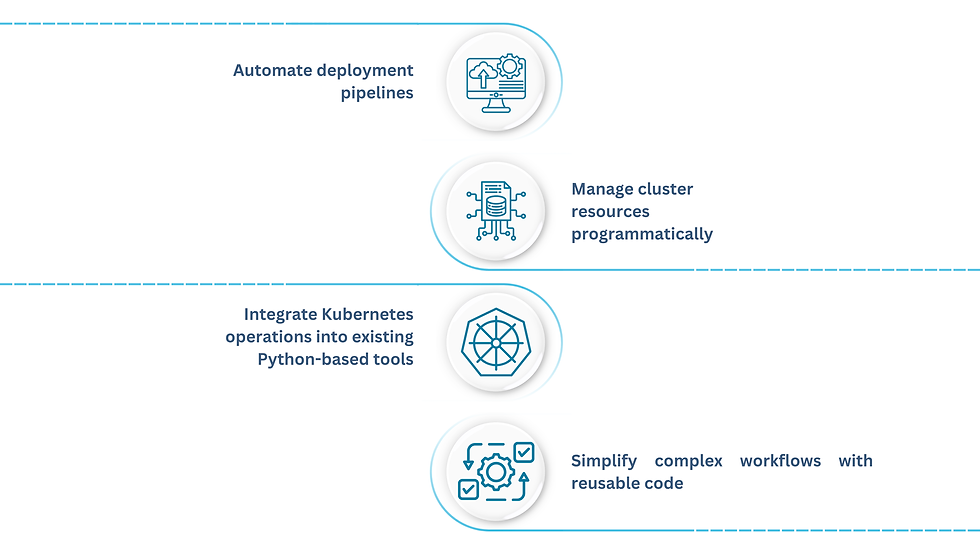
One of the key enablers for this is the python kubernetes client, a comprehensive library that allows you to interact with the Kubernetes API directly from Python code. This client abstracts the complexity of API calls and provides a user-friendly interface to manage your clusters.
Getting Started with the Python Kubernetes Client
To begin managing Kubernetes with Python, you first need to install the official Kubernetes client library. You can do this easily using pip:
```bash
pip install kubernetes
```
Once installed, you can write Python scripts that connect to your Kubernetes cluster. The client supports various authentication methods, including kubeconfig files and in-cluster configurations.
Here is a simple example that lists all pods in the default namespace:
```python
from kubernetes import client, config
Load kubeconfig and initialize client
config.load_kube_config()
v1 = client.CoreV1Api()
List pods in the default namespace
pods = v1.list_namespaced_pod(namespace="default")
for pod in pods.items:
print(f"Pod name: {pod.metadata.name}")
```
This script demonstrates how straightforward it is to interact with Kubernetes resources using Python. You can extend this approach to create, update, or delete resources as needed.
Automating Common Kubernetes Tasks with Python
Automation is where Python truly shines in Kubernetes management. Here are some practical examples of tasks you can automate:
1. Deploying Applications
You can write Python scripts to create deployment objects, set replicas, and manage container images. This is useful for continuous deployment pipelines.
```python
from kubernetes.client import V1Deployment, V1DeploymentSpec, V1PodTemplateSpec, V1ObjectMeta, V1Container, V1LabelSelector
deployment = V1Deployment(
metadata=V1ObjectMeta(name="nginx-deployment"),
spec=V1DeploymentSpec(
replicas=3,
selector=V1LabelSelector(match_labels={"app": "nginx"}),
template=V1PodTemplateSpec(
metadata=V1ObjectMeta(labels={"app": "nginx"}),
spec=client.V1PodSpec(containers=[V1Container(name="nginx", image="nginx:1.14.2")])
)
)
)
apps_v1 = client.AppsV1Api()
apps_v1.create_namespaced_deployment(namespace="default", body=deployment)
print("Deployment created successfully.")
```
2. Scaling Workloads
Adjusting the number of replicas in a deployment can be automated based on metrics or schedules.
```python
def scale_deployment(name, namespace, replicas):
apps_v1 = client.AppsV1Api()
deployment = apps_v1.read_namespaced_deployment(name, namespace)
deployment.spec.replicas = replicas
apps_v1.patch_namespaced_deployment(name, namespace, deployment)
print(f"Scaled deployment {name} to {replicas} replicas.")
scale_deployment("nginx-deployment", "default", 5)
```
3. Monitoring and Alerts
You can fetch pod statuses and send alerts if any pods are in a failed state.
```python
pods = v1.list_namespaced_pod(namespace="default")
for pod in pods.items:
if pod.status.phase != "Running":
print(f"Alert: Pod {pod.metadata.name} is in {pod.status.phase} state.")
```
These examples illustrate how Python scripts can replace manual commands, saving time and reducing errors.
Best Practices for Managing Kubernetes with Python
To make the most of Python in Kubernetes management, consider the following best practices:

By following these guidelines, you can build robust automation tools that enhance your Kubernetes management workflow.
Expanding Your Kubernetes Automation Toolkit
Beyond the basic client library, there are additional Python tools and frameworks that can further simplify Kubernetes management:
Kopf: A Python framework for writing Kubernetes operators, allowing you to extend Kubernetes with custom controllers.
Helm with Python: Use Python scripts to automate Helm chart deployments and upgrades.
Kubectl Wrapper Libraries: Some Python libraries wrap `kubectl` commands for easier scripting.
Exploring these tools can help you build more sophisticated automation solutions tailored to your specific needs.
Managing Kubernetes clusters can be complex, but with Python, you gain a powerful ally to simplify and automate your workflows. Whether you are deploying applications, scaling services, or monitoring cluster health, Python scripts can save you time and reduce errors.
Start by exploring the python kubernetes client and experiment with small automation tasks. Over time, you can build a comprehensive toolkit that makes Kubernetes management more efficient and reliable.



Comments